Deluxe Paint: a sunset painted through the debugger
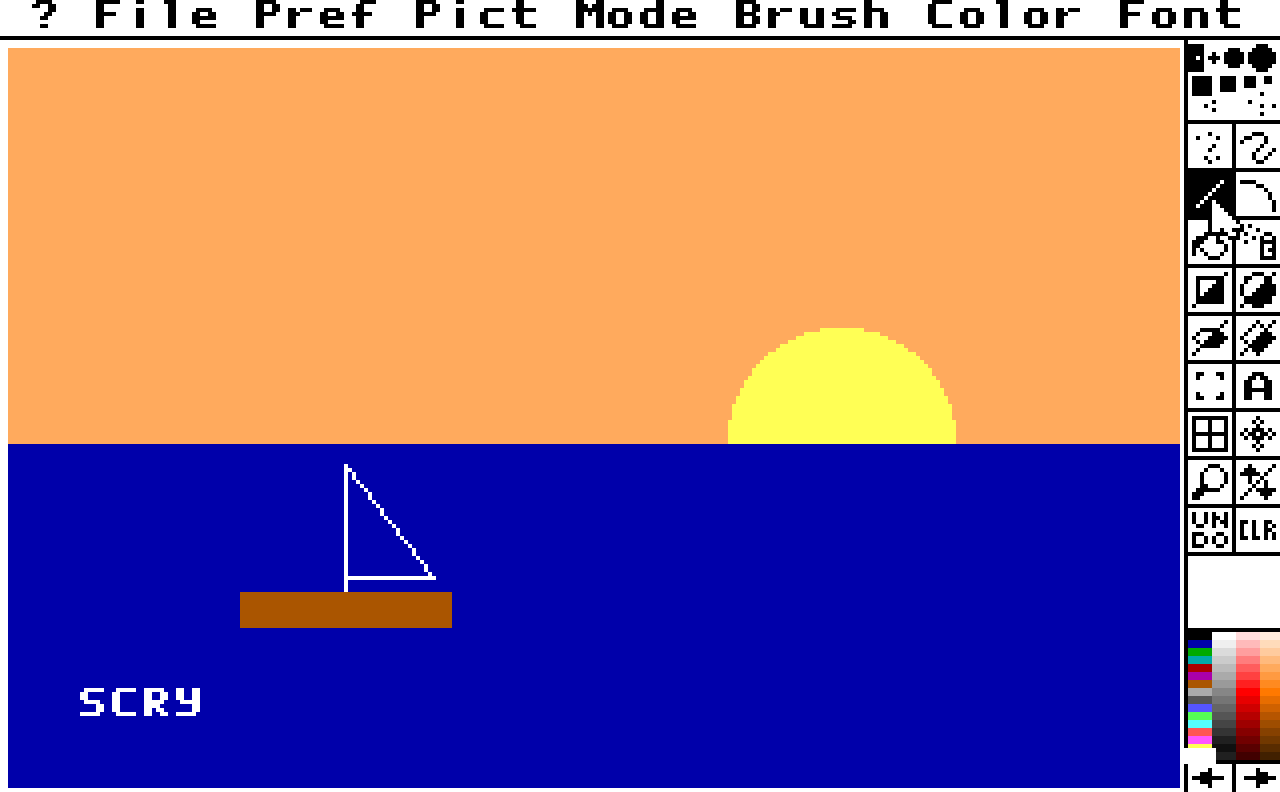
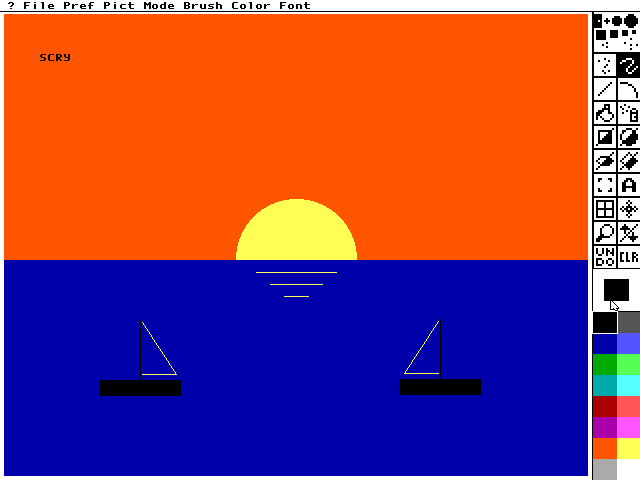
Electronic Arts' Deluxe Paint II, the 1988 PC version, paints a sunset here, every stroke sent by the server. Tools and colours are picked by the names of a screen map, a file that names the program's controls. The picture is checked by reading video memory back, and a value scan finds the byte that holds the current colour.
What you are watching
- Each
performpicks a tool and a colour by name and drags: the sky, then the sun. - Two more
performcalls paint the sea and the boat's hull. - The text tool, a click and
send_keys: SCRY, typed into the picture.
The program
Deluxe Paint II is commercial software, and nothing of it is in this repository. The demo runs it from a directory you name: version 1.0, the 1988 release on one 720k disk.
It checks DP.EXE first and refuses another build, naming its digest. Nothing the run writes
stays in your directory.
Run it
$ uv run python demos/dpaint/demo.py --cwd /path/to/your/dpaint2Each line it prints is one call and its check. The window opens behind the others, so the run does not take your keyboard.
--cwd PATH(absolute or~-led) is the directory holdingDP.EXE. The session runs from it, and it reads<host>in the transcript.--binary PATH(absolute or~-led) picks the DOSBox-X to start. Left out, it isDOSBOX_X_BINARY, else thedosbox-xon yourPATH.--display Nopens the window on that display. Left out, it opens on the main one.--transcript PATHmoves the whole transcript; the run's other files go beside it.--update-readmerewrites this page's generated parts,TRANSCRIPT.md,screen.pngandloop.webp, from a run where every step passed. It needs ffmpeg andimg2webpon yourPATH.
Exit codes: 0 every step passed, 1 a step failed, 2 a usage error, 3 nothing was demonstrated. That last one is no program directory, another build of it, a DOSBox-X without relative motion or a server that did not start.
Deluxe Paint takes the mouse as movement, so it needs a DOSBox-X whose input device carries
relative motion (send_mouse). On a build without
it the demo stops at its third step and says so.
Try it yourself
Add the server to your client and ask it to start DOSBox-X on demos/dpaint/dpaint.conf from your copy of the program. Each of these is a step of
the demo, in the order the demo makes them.
Pick blue on Deluxe Paint's palette.
send_mouse(target="blue", button="left"){
"summary": "send_mouse: pointer at 300,179, program's own pointer not re ... (113 characters)",
"target": "blue",
"driver_arrived": true
}The screen map says where blue sits, so the call holds no coordinates. driver_arrived is true when the program's own mouse driver reports the pointer there.
The whole reply
{
  "summary": "send_mouse: pointer at 300,179, program's own pointer not read; sent, reaction not checked, 21 frames to frame 28",
  "status": "ok",
  "x": 300,
  "y": 179,
  "units": "screen",
  "button": "left",
  "action": "click",
  "route": "guest",
  "pointer": {
    "screen": {"x": 300, "y": 179, "width": 320, "height": 200},
    "mouse": {"x": 2404, "y": 1436, "max_x": 2552, "max_y": 1592},
    "buttons": [],
    "bios_mode": "0x13"
  },
  "driver_arrived": true,
  "polls": 21,
  "pc": "<volatile>",
  "cpu_mode": "real",
  "stop_seq": 23,
  "frame": 28,
  "instruction": "<volatile>",
  "regs": "<volatile>",
  "watches": [],
  "cause": "<volatile>",
  "e9": {"lines_total": 0, "truncated": false, "lines": [], "mark": "<volatile>"},
  "motion": true,
  "verify": {
    "checked": false,
    "why": "no `expect` was given, so the reply says what went into the guest and NOT that the program took it; pass expect=<E9 pattern> to confirm its reaction"
  },
  "target": "blue",
  "screen": "paint",
  "identified_at_stop": 2,
  "session": {"alive": true, "running": false, "altered": false}
}Orange is picked now. Keep only the bytes of the scan that hold orange's number.
scan(method="filter", value=55){
"summary": "scan filter: = 55, 7 left",
"hits_total": 7
}hits_total counts the bytes still in the scan: they held blue's number, then orange's. The ones below the stack pointer are the program's own variables.
The whole reply
{
  "summary": "scan filter: = 55, 7 left",
  "status": "ok",
  "operator": "=",
  "value": "0x37",
  "iterations": 2,
  "closed": false,
  "hits": [
    {"seg_off": "31B2:0000017C", "addr": "0x00031c9c", "value": "0x37"},
    {"seg_off": "31B2:000001AE", "addr": "0x00031cce", "value": "0x37"},
    {"seg_off": "31B2:00000470", "addr": "0x00031f90", "value": "0x37"},
    {"seg_off": "31B2:000010B0", "addr": "0x00032bd0", "value": "0x37"},
    {"seg_off": "31B2:0000A57E", "addr": "0x0003c09e", "value": "0x37"},
    {"seg_off": "31B2:0000A57F", "addr": "0x0003c09f", "value": "0x37"},
    {"seg_off": "31B2:0000A580", "addr": "0x0003c0a0", "value": "0x37"}
  ],
  "hits_total": 7,
  "truncated": false,
  "session": {"alive": true, "running": false, "altered": false}
}Read 128 bytes of video memory from row 100, column 160.
read_memory(ref="A000:7DA0", length=128){
"summary": "read_memory A000:7DA0: 128 bytes at A000:00007DA0: 343434343 ... (207 characters)",
"length": 128
}In this video mode each byte is one pixel's colour number. The row holds 25 pixels of sky, 51 of sun and 52 of sky, as painted.
The whole reply
{
  "summary": "read_memory A000:7DA0: 128 bytes at A000:00007DA0: 343434343434343434343434343434343434343434343434340e0e0e0e0e0e0e0e0e0e0e0e0e0e0e0e0e0e0e0e0e0e0e0e0e0e0e0e0e0e0e0e0e0e0e0e0e0e0e... (64 more bytes in `hex`)",
  "status": "ok",
  "ref": "A000:7DA0",
  "seg_off": "A000:00007DA0",
  "length": 128,
  "hex": "343434343434343434343434343434343434343434343434340e0e0e0e0e0e0e0e0e0e0e0e0e0e0e0e0e0e0e0e0e0e0e0e0e0e0e0e0e0e0e0e0e0e0e0e0e0e0e0e0e0e0e0e0e0e0e0e0e0e0e34343434343434343434343434343434343434343434343434343434343434343434343434343434343434343434343434343434",
  "session": {"alive": true, "running": false, "altered": false}
}
The whole demo as one prompt
- Start DOSBox-X windowed on
demos/dpaint/dpaint.conf, running from your copy of the program, withDP.EXE fas the program, recording its video, and the log in a file. - Load the screen map
dpaint-screen-map.jsonbeside the conf and run until it names the painting screen. - Tell me where DOS loaded the program, and so where its data segment is.
- Pick blue on the palette, start a value scan of the data segment and keep what holds 9.
- Pick orange, keep what holds 55, and tell me which of the bytes left are below the stack pointer.
- Close the scan and watch the first of those. Then paint a sunset, one call a shape, and tell me what the watched byte shows after each colour.
- A peach sky as a filled rectangle, a yellow sun as a filled circle on the horizon, a navy sea over its lower half.
- A brown hull with the rectangle tool still in hand, a white sail drawn with lines, and SCRY typed with the text tool.
- Read a row across the sun and one across the boat, show me the screen, clear the watch and close.
Tools this demo uses
| Group | Tools |
|---|---|
| Session | start, close |
| Run | screen_wait |
| Machine | machine_map |
| Read | screen_map_write, screen_map_find, read_memory |
| Input | send_mouse, send_keys |
| Scan | scan |
| Breakpoints | watch_add, declaration_clear |
| Sequences | perform |
| Screen | screen_view |
Each group is a page of the reference. Some of the names need a word:
- Run: the tools that let the program run and stop it again.
- Breakpoints: breakpoints and watches.
- Sequences: the tools that run several calls as one.
- Machine: the program's log and the map of what DOS loaded.
The transcript
TRANSCRIPT.md has every call of the run with its reply. Process ids, ports,
wall-clock times and temporary paths read <volatile> there, because they change from run to
run.
The moving picture is cut from the video the session records of itself
(start(capture_video=true)), because Deluxe Paint draws while each call is still running.
demos/dpaint_maps/ drives the same program through its menus and
a dialog.
More demos
 Monkey IslandThe Secret of Monkey Island, with the lookout's lines written into the game's memory while it is stopped; it needs the disc.DOSBox-X
 LineUpThe arcade LineUp, from the game's own ROM set, played by its own routine and variable names.DOSBox-X · MAME
 Speed FightThe arcade Speed Fight, from a copy of the game, started from a file in its
.scry/folder.DOSBox-X · MAME BricksA breakout game this repository builds, stopped by name where each brick falls.DOSBox-X
 MinesweeperA Minesweeper this repository builds, its mines read out of memory and the board cleared without a miss.DOSBox-X
 Deluxe Paint by its menusDeluxe Paint II driven through its menus and a dialog, each picked by name; it needs the program.DOSBox-X
 ReChip!ReChip!, a tracker driven by its keys and read by its own log; it needs a copy of the program.DOSBox-X
 X-COM ApocalypseX-COM Apocalypse, led through its menus by its own DOS calls and a screen map, every file it opens listed; it needs a copy of the game.DOSBox-X