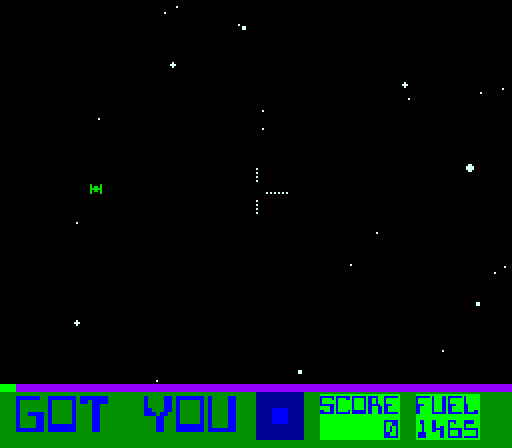
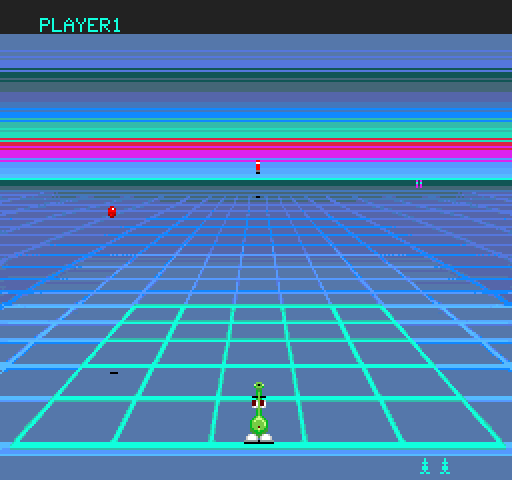
Speed Fight: the board starts from a file in the game's .scry/ folder
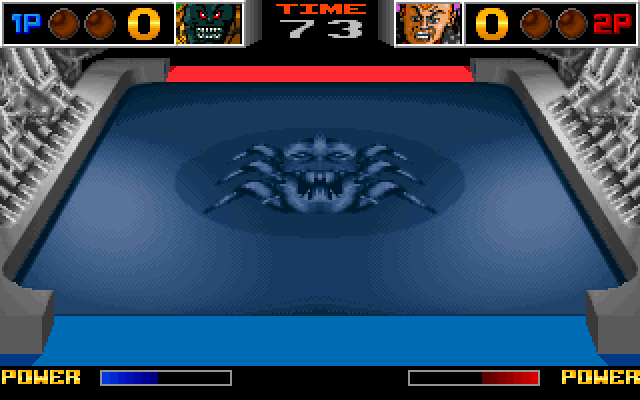
Speed Fight (Eco-Games / GAMART, 1994) ran on the same NEC V30 arcade board as LineUp.
This demo starts it from a start profile, a saved set of start arguments kept in the
game's .scry/start/speedf.json. Then it runs to the routine that begins the
attract demo and reads two variables by name.
What you are watching
run_tostopped where the attract demo starts, andrecordfilms it.
The program
Speed Fight is not distributed with this repository. The demo needs a built copy of the game,
with its ROM set in place and its build/, run/ and .scry/ folders.
It also needs a MAME whose driver list includes speedf.
Run it
$ uv run python demos/speedf/demo.py --cwd /path/to/speedf-mameEach line it prints is one call and its check. The window opens behind the others, so the run does not take your keyboard.
--cwd PATH(absolute or~-led) is the directory holding the game. Its.scry/holds the start profile, and itsbuild/andrun/hold what the profile names.--rompath PATHnames another ROM set directory. Left out, it is the profile'srun/mame_roms.--binary PATHpicks the MAME to start. Left out, it is the profile'sMAME_BINARY.--display Nopens the window on that display. Left out, it opens on the main one.--transcript PATHmoves the whole transcript; the run's other files go beside it.--update-readmerewrites this page's generated parts,TRANSCRIPT.md,screen.pngandloop.webp, from a run where every step passed. It needs ffmpeg andimg2webpon yourPATH.
Exit codes: 0 every step passed, 1 a step failed, 2 a usage error, 3 nothing was demonstrated. That last one is a copy without its start profile or its build, a relative path or a server that did not start.
Try it yourself
Add the server to your client and open it in your copy of the game. Each of these is a step of the demo, in the order the demo makes them.
Start Speed Fight from the start profile in its .scry/start/ folder.
start(shared=true, background=true, display="<host>", profile="<host>", inipath="<host>",
state_dir="<host>"){
"rom_check": "OK",
"symbols_total": 225,
"kept": "1 saved for `promote`"
}A start profile is a saved set of start arguments; the call adds only this run's own. rom_check says the ROM in memory is the build's, symbols_total counts its map's names, and kept that a candidate was saved.
The whole reply
{
  "summary": "<volatile>",
  "status": "ok",
  "system": "speedf",
  "binary": "<volatile>",
  "binary_origin": "<volatile>",
  "version": "0.289 (unknown)",
  "pid": "<volatile>",
  "stub_port": "<volatile>",
  "scratch_dir": "<volatile>",
  "state_dir": "./tmp/demos/speedf/speedf-states",
  "cfg": {"available": false, "why": "no cfg was given, so MAME runs on its defaults"},
  "debugger": {
    "attached": "gdbstub",
    "note": "MAME runs with -debug under this stub. A capture taken at one of this session's stops can land a frame away from an autoboot golden taken by a frame notifier at the same count, in a scene that changes every frame: compare a live capture with a live golden"
  },
  "errorlog_path": "<volatile>",
  "stdout_path": "<volatile>",
  "rom_check": "OK",
  "symbols_total": 225,
  "symbols_format": "tsv",
  "symbols_by_class": {"CODE": 167, "DATA": 58},
  "symbols_by_cpu": {":maincpu": 225},
  "registers": ["EAX", "ECX", "EDX", "EBX", "ESP", "EBP", "ESI", "EDI", "EIP", "EFLAGS", "CS", "SS", "DS", "ES", "FS", "GS", "ST0", "ST1", "ST2", "ST3", "ST4", "ST5", "ST6", "ST7", "FCTRL", "FSTAT", "FTAG", "FISEG", "FIOFF", "FOSEG", "FOOFF", "FOP"],
  "pc": "0x000ffff0",
  "frame": 0,
  "frame_symbol": "frame",
  "view": "native",
  "views": ["Screen 0 Standard (4:3)", "Screen 0 Pixel Aspect (8:5)", "Cocktail"],
  "background": true,
  "flags": "<volatile>",
  "boot_lua_path": "<volatile>",
  "presence": true,
  "machine": {"cpus": 1, "spaces": 2, "address_map": 16, "regions": 2, "shares": 0, "screens": 1, "rom_files": 3},
  "declarations": {
    "persistent": true,
    "path": "./tmp/demos/speedf/speedf-states/declarations.json",
    "key": "<volatile>",
    "held": 0,
    "fingerprint": "e08811564190b354",
    "rearm": {"rearmed": [], "stale": [], "unresolved": [], "unarmable": [], "evaluated": []},
    "comments": {"rearmed": [], "stale": [], "unresolved": [], "unarmable": []}
  },
  "recommended_release": "0.289",
  "window": "<volatile>",
  "kept": "1 saved for `promote`",
  "profile": {
    "name": "<volatile>",
    "file": "<volatile>",
    "supplied": ["bases", "binary", "boot_seconds", "reference_addr", "reference_base", "reference_rom", "rompath", "symbols", "system"]
  },
  "session": {
    "alive": true,
    "running": false,
    "altered": false,
    "altering_writes": 0,
    "console": {"thread_errors": 0, "reruns": 0, "lost": 0}
  }
}Run the game until its attract demo starts, at startdemo, counting the video interrupt on the way.
run_to(ref="startdemo", control="new_irq_video", seconds=300){
"summary": "run_to startdemo: TARGET, control counted 920",
"verdict": "TARGET",
"control_hits": 920
}TARGET means the run stopped at startdemo. control_hits counts the video interrupt meanwhile, so a run that never arrived would still say the game was running.
The whole reply
{
  "summary": "run_to startdemo: TARGET, control counted 920",
  "status": "ok",
  "verdict": "TARGET",
  "control_hits": 920,
  "controls": [
    {"ref": "new_irq_video", "cpu": ":maincpu", "hits_in_run": 920}
  ],
  "cause": "target startdemo",
  "stop_seq": 2,
  "pc": "0x000f5e2f",
  "cpu": ":maincpu",
  "frame": 923,
  "regs": {
    "EAX": "0x0000",
    "ECX": "0x0000",
    "EDX": "0x0000",
    "EBX": "0x0421",
    "ESP": "0xbfce",
    "EBP": "0x0037",
    "ESI": "0x300f",
    "EDI": "0xb00f",
    "EIP": "0x000f5e2f",
    "EFLAGS": "0xf047",
    "CS": "0xed00",
    "SS": "0x0040",
    "DS": "0x0040",
    "ES": "0x1000",
    "FS": "0x00000000",
    "GS": "0x00000000",
    "ST0": "0x00000000000000000000",
    "ST1": "0x00000000000000000000",
    "ST2": "0x00000000000000000000",
    "ST3": "0x00000000000000000000",
    "ST4": "0x00000000000000000000",
    "ST5": "0x00000000000000000000",
    "ST6": "0x00000000000000000000",
    "ST7": "0x00000000000000000000",
    "FCTRL": "0x00000000",
    "FSTAT": "0x00000000",
    "FTAG": "0x00000000",
    "FISEG": "0x00000000",
    "FIOFF": "0x00000000",
    "FOSEG": "0x00000000",
    "FOOFF": "0x00000000",
    "FOP": "0x00000000"
  },
  "instruction": {"address": "F5E2F", "bytes": "06", "text": "push    ds1", "symbol": "startdemo", "delta": 0},
  "following": ["F5E30: 1E             push    ds0", "F5E31: 1E             push    ds0", "F5E32: 07             pop     ds1", "F5E33: 0E             push    ps", "F5E34: 1F             pop     ds0", "F5E35: 8B D8          mov     bw,aw", "F5E37: D1 E3          shl     bw,1", "F5E39: D1 E3          shl     bw,1", "F5E3B: 26 8B B7 45 CE mov     ix,ds1:[bw-31BBh]", "F5E40: BF 35 CA       mov     iy,0CA35h", "F5E43: 2E 8B 0C       mov     cw,ps:[ix]", "F5E46: 83 C1 04       add     cw,4h", "F5E49: F3 A4          rep     movbkb  ", "F5E4B: 26 8B B7 47 CE mov     ix,ds1:[bw-31B9h]"],
  "errorlog": "<volatile>",
  "session": {
    "alive": true,
    "running": false,
    "altered": false,
    "omitted": ["altering_writes", "console"],
    "how": "<volatile>"
  }
}Read the game's creditos variable.
read_memory(ref="creditos", length=2){
"summary": "read_memory creditos: 2 bytes at 0x0000c41c: 0000",
"addr": "0x0000c41c",
"hex": "0000"
}creditos is a name from the game's symbol map. The start profile says where the game's data sits in RAM, so the name resolves to the address the program reads.
The whole reply
{
  "summary": "read_memory creditos: 2 bytes at 0x0000c41c: 0000",
  "status": "ok",
  "ref": "creditos",
  "addr": "0x0000c41c",
  "length": 2,
  "hex": "0000",
  "cpu": ":maincpu",
  "session": {
    "alive": true,
    "running": false,
    "altered": false,
    "omitted": ["altering_writes", "console"],
    "how": "<volatile>"
  }
}
The whole demo as one prompt
- Start the board from the start profile
.scry/start/speedf.jsonin the copy, with a window. - Run to
startdemocountingnew_irq_video. - Read
_sceneIdandcreditos. - Record 180 frames of video, take a picture of the screen and close.
Tools this demo uses
| Group | Tools |
|---|---|
| Session | start, close |
| Run | run_to |
| Read | read_memory |
| Captures | record |
| Screen | screen_view |
Each group is a page of the reference. Run holds the tools that let the program run and stop it again.
The transcript
TRANSCRIPT.md has every call of the run with its reply. The paths of the
copy read <host> there, because they are your computer's.
More demos
 LineUpThe arcade LineUp, from the game's own ROM set, played by its own routine and variable names.MAME · DOSBox-X
 Star FireExidy's Star Fire, a free ROM, from a cold start to the instruction that counts its coins.MAME
 GridleeVidea's Gridlee, a free ROM, whose credits turn out to live in two bytes, in binary and in BCD.MAME