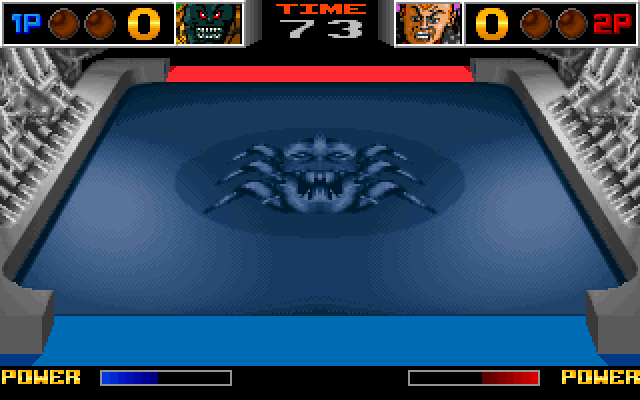
LineUp: one script plays the arcade board and its DOS version

LineUp (Eco-Games / GAMART, 1994) ran on an NEC V30 arcade board, and its team ported the same source to MS-DOS. This demo plays the board by the game's own routine and variable names: a coin, a game started, a move, a colour, a shot, each read back from memory.
What you are watching
inputpresses fire, andrecordfilms the shot.inputmoves the player one column right and fires again.inputraises the next colour and fires a third time.
The program
LineUp is not distributed with this repository. The demo needs three things:
- its ROM set,
lineup.zip, with the linker's symbol map,lineup.map, in the same directory, which--rompathnames; - a MAME whose driver list includes
lineup; - a directory, which
--cwdnames, holding the game's.scry/folder: its.scry/maps/lineup-screen-map.jsonis the screen map the demo loads, a file that names the game's screens.
Run it
$ uv run python demos/lineup/demo.py --rompath /path/to/romset --cwd /path/to/gameEach line it prints is one call and its check. The window opens behind the others, so the run does not take your keyboard.
--binary PATHpicks the MAME to start. Left out, it isMAME_BINARY, else themameon yourPATH.--cwd PATH(absolute or~-led) is the directory holding the game.--display Nopens the window on that display. Left out, it opens on the main one.--transcript PATHmoves the whole transcript; the run's other files go beside it.--update-readmerewrites this page's generated parts,TRANSCRIPT.md,screen.pngandloop.webp, from a run where every step passed. It needs ffmpeg andimg2webpon yourPATH.
Exit codes: 0 every step passed, 1 a step failed, 2 a usage error, 3 nothing was demonstrated. That last one is a missing ROM set, a relative path, a copy without the game's map or a server that did not start.
Nothing in the run waits a fixed time: each screen is waited for at a breakpoint on the game's own 50 Hz tick. A screen is recognised by a screen map written in palette indices, because the board and a VGA card show the same pixels in slightly different colours.
The script is scry_core.games.lineup, and scry-dosbox-x runs the DOS version with the same
symbols, screens and checks. Only a few settings differ per emulator: how the game starts,
which input is each control, the screen's refresh rate, and the reference recording of its music.
Try it yourself
Add the server to your client and ask it to start lineup with your
ROM set and its symbol map. Each of these is a step of the demo, in the order the demo makes
them.
Run the game until it starts drawing its high-score table, and count Check_Money25 on the way.
run_to(ref="Draw_High_Scores_Screen", control="Check_Money25", seconds=120){
"summary": "run_to Draw_High_Scores_Screen: TARGET, control counted 250",
"verdict": "TARGET",
"control_hits": 250
}TARGET means the game stopped where Draw_High_Scores_Screen begins. control_hits counts an address that runs on every tick, so a run that misses its target still says the game was running.
The whole reply
{
  "summary": "run_to Draw_High_Scores_Screen: TARGET, control counted 250",
  "status": "ok",
  "verdict": "TARGET",
  "control_hits": 250,
  "controls": [
    {"ref": "Check_Money25", "cpu": ":maincpu", "hits_in_run": 250}
  ],
  "cause": "target Draw_High_Scores_Screen",
  "stop_seq": 2,
  "pc": "0x000317ff",
  "cpu": ":maincpu",
  "frame": 251,
  "regs": {
    "EAX": "0x0500",
    "ECX": "0x0000",
    "EDX": "0x73ca",
    "EBX": "0x0000",
    "ESP": "0x99db",
    "EBP": "0xbe31",
    "ESI": "0x6992",
    "EDI": "0xfb28",
    "EIP": "0x000317ff",
    "EFLAGS": "0xf006",
    "CS": "0x3000",
    "SS": "0x0040",
    "DS": "0x0040",
    "ES": "0x1000",
    "FS": "0x00000000",
    "GS": "0x00000000",
    "ST0": "0x00000000000000000000",
    "ST1": "0x00000000000000000000",
    "ST2": "0x00000000000000000000",
    "ST3": "0x00000000000000000000",
    "ST4": "0x00000000000000000000",
    "ST5": "0x00000000000000000000",
    "ST6": "0x00000000000000000000",
    "ST7": "0x00000000000000000000",
    "FCTRL": "0x00000000",
    "FSTAT": "0x00000000",
    "FTAG": "0x00000000",
    "FISEG": "0x00000000",
    "FIOFF": "0x00000000",
    "FOSEG": "0x00000000",
    "FOOFF": "0x00000000",
    "FOP": "0x00000000"
  },
  "instruction": {
    "address": "317FF",
    "bytes": "1E",
    "text": "push    ds0",
    "symbol": "Draw_High_Scores_Screen",
    "delta": 0
  },
  "following": ["31800: E8 21 FE call    31624h", "31803: B8 01 00 mov     aw,1h", "31806: E8 29 73 call    38B32h", "31809: E8 50 36 call    34E5Ch", "3180C: E8 8F FF call    3179Eh", "3180F: 1F       pop     ds0", "31810: C3       ret     ", "31811: 1E       push    ds0", "31812: E8 0F FE call    31624h", "31815: B8 00 00 mov     aw,0h", "31818: E8 17 73 call    38B32h", "3181B: E8 80 FF call    3179Eh", "3181E: 1F       pop     ds0"],
  "errorlog": "<volatile>",
  "session": {
    "alive": true,
    "running": false,
    "altered": false,
    "omitted": ["altering_writes", "console"],
    "how": "<volatile>"
  }
}Read the game's Credits variable now that the coin is in.
read_memory(ref="Credits", length=2){
"summary": "read_memory Credits: 2 bytes at 0x0000914a: 0300",
"addr": "0x0000914a",
"hex": "0300"
}Credits is a name from the game's own symbol map, so the same call works on the arcade board and on the PC port. hex is the value, low byte first: three credits for one coin.
The whole reply
{
  "summary": "read_memory Credits: 2 bytes at 0x0000914a: 0300",
  "status": "ok",
  "ref": "Credits",
  "addr": "0x0000914a",
  "length": 2,
  "hex": "0300",
  "cpu": ":maincpu",
  "session": {
    "alive": true,
    "running": false,
    "altered": false,
    "omitted": ["altering_writes", "console"],
    "how": "<volatile>"
  }
}Compare the music you just recorded with the reference recording, sample by sample.
audio_compare(method="diff", a="./tmp/demos/lineup/music.wav", b="<host>", align=false){
"summary": "audio_compare diff: exact, equal, envelope 1.0",
"exact": true
}exact is true only when every sample is equal, so a changed sound, a different mixer or a late start fails the run.
The whole reply
{
  "summary": "audio_compare diff: exact, equal, envelope 1.0",
  "status": "ok",
  "exact": true,
  "snr_db": {
    "available": false,
    "why": "the two are equal after alignment: there is no error to measure the signal against"
  },
  "class": "exact",
  "envelope_correlation": 1.0,
  "onset_delta_ms": 0.0,
  "length_delta_samples": 0,
  "aligned_by_samples": 0,
  "a": "./tmp/demos/lineup/music.wav",
  "b": "<volatile>",
  "session": {
    "alive": true,
    "running": false,
    "altered": false,
    "omitted": ["altering_writes", "console"],
    "how": "<volatile>"
  }
}
The whole demo as one prompt
- Start
lineupwith the ROM set directory, checked against the image its two ROM halves make at0x30000. - In that same call take its symbols from
lineup.map, withDATAat0x400andLUP_JUKEBOXleft where the map puts it. - Load the game's screen map,
.scry/maps/lineup-screen-map.jsonin the copy. - Run to
Draw_High_Scores_ScreencountingCheck_Money25. - Put a breakpoint on
Check_Money100and wait, looking at the screen only when it stops there, until the map nameshiscores; clear it and readCredits. - Drop a coin, wait the same way for
insert, and readCreditsagain. - Press START, run to
Level_Write, wait the same way forlevel, and readCreditsandStage_Act. - Wait the same way for
playwithPlayer1's first double word at 0x30001, and read the first six words ofPlayer1. - Move right, take the next colour and shoot, running to
Gest_Scoresafter each before readingPlayer1. - Record two seconds of sound, measure it and compare it with
music.wav. - Shoot three more times: where the player stands, one column to the right, and with the next colour. Record a second of video after each shot.
- Take a picture of the screen and close.
Tools this demo uses
| Group | Tools |
|---|---|
| Session | start, close |
| Run | run_to, screen_wait |
| Breakpoints | breakpoint_at, declaration_clear |
| Read | screen_map_write, screen_map_find, read_memory |
| Lua | input |
| Captures | record, audio_record |
| Files | audio_compare |
| Screen | screen_view |
Each group is a page of the reference. Three of the names need a word:
- Run: the tools that let the program run and stop it again.
- Breakpoints: breakpoints and watches.
- Lua: the tools that reach MAME's own scripting,
inputamong them.
The transcript
TRANSCRIPT.md has every call of the run with its reply. The two seconds of
music it records must equal music.wav sample for sample (win32/music.wav on
Windows, where MAME mixes the sound differently).
More demos
 Star FireExidy's Star Fire, a free ROM, from a cold start to the instruction that counts its coins.MAME
 GridleeVidea's Gridlee, a free ROM, whose credits turn out to live in two bytes, in binary and in BCD.MAME
 Speed FightThe arcade Speed Fight, from a copy of the game, started from a file in its
.scry/folder.MAME · DOSBox-X